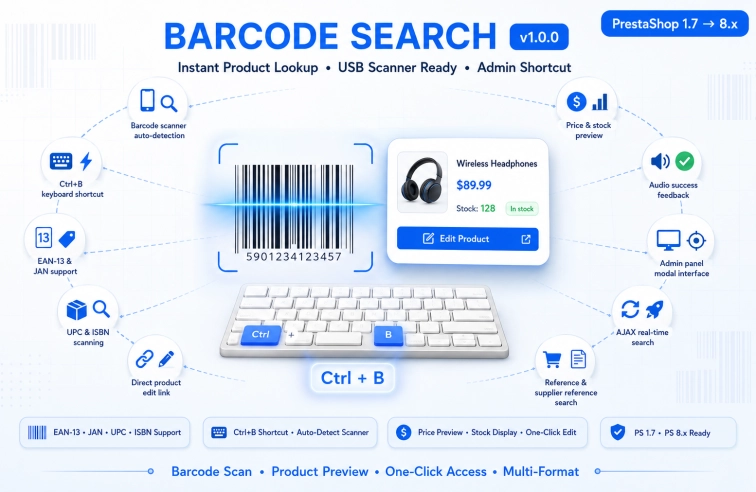
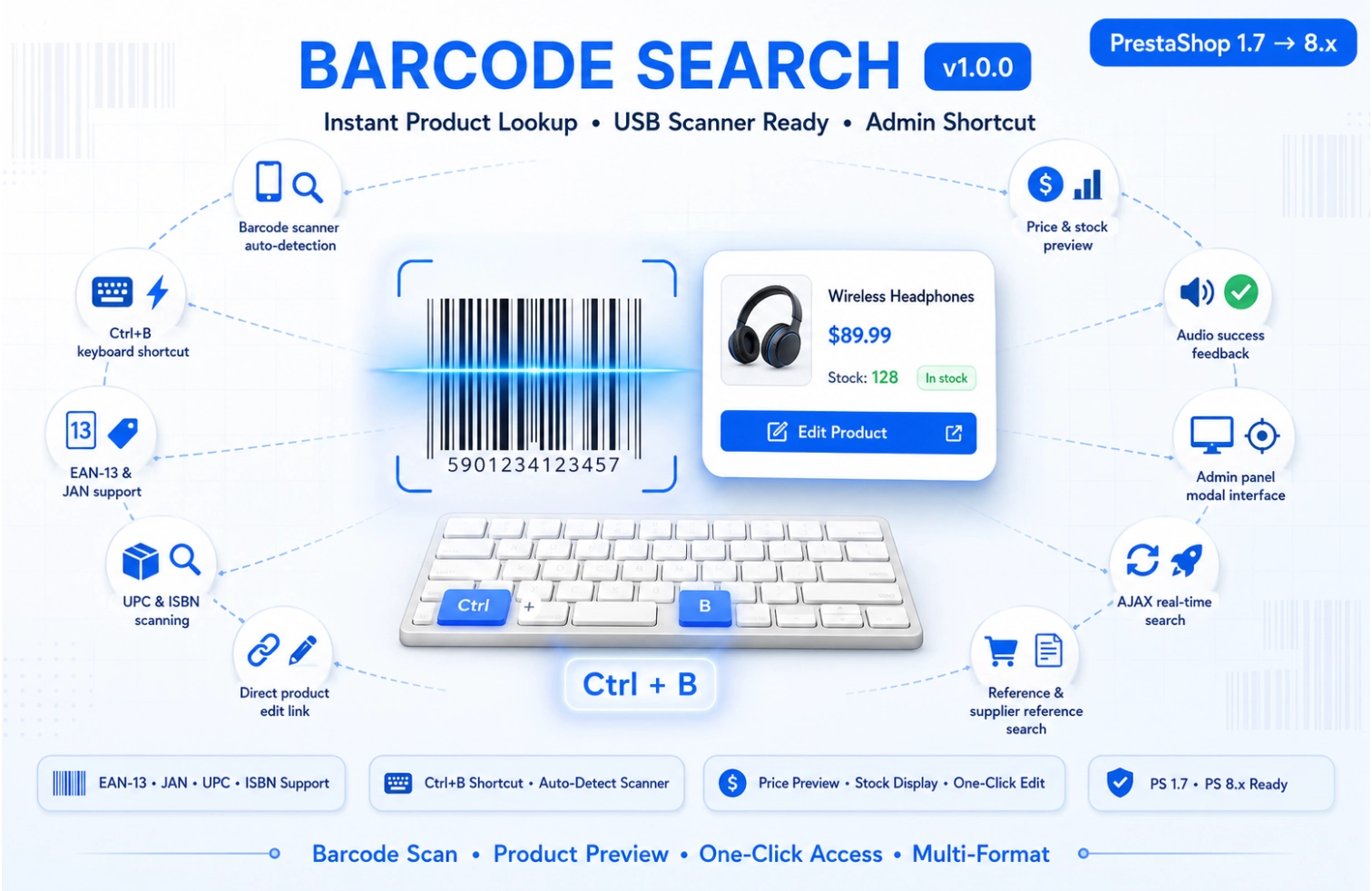
Transform your product management workflow with lightning-fast barcode scanning in your PrestaShop admin panel. BarcodeSearch enables instant product lookups by scanning EAN-13, JAN, UPC, or ISBN barcodes directly from any admin page.
What Does This Module Do?
✓ Instant Barcode Scanning — scan any product barcode with a USB scanner
✓ Multi-Format Support — works with EAN-13, JAN, UPC, and ISBN codes
✓ Reference Search — also finds products by reference or supplier reference
✓ Keyboard Shortcut — press Ctrl+B to open scanner from any admin page
✓ Real-Time Results — product details appear instantly after scanning
✓ Direct Product Access — one-click link to product edit page
✓ Stock & Price Display — view quantity and price before navigating
✓ Audio Feedback — sound confirmation for successful scans
What's Included
✓ Main module class (barcodesearch.php)
✓ Admin AJAX controller for real-time search
✓ JavaScript interface with modal window
✓ Auto-detect scanning with configurable delay
✓ Clean, modern UI with responsive design
✓ Database-optimized search queries
✓ Full documentation and installation guide
✨Compatible with PrestaShop 1.7.x to 9.x — Native support for modern PrestaShop versions with PHP 7.1+ compatibility
qr_code_scanner
Barcode Scanning
Auto-detect scanned barcodes from USB scanners
search
Multi-Field Search
Searches EAN13, UPC, ISBN, reference fields
keyboard
Keyboard Shortcut
Ctrl+B to open scanner from any admin page
visibility
Product Preview
See name, price, stock, and status instantly
volume_up
Audio Feedback
Success/error sounds for scan confirmation
edit
One-Click Edit
Direct link to product edit page
devices
Responsive Design
Works on desktop, tablet, and mobile
bolt
Lightning Fast
AJAX-powered with zero page reloads
🚀 How It Works
keyboard
1. Open Scanner
Press Ctrl+B or click the floating button to open the scanner modal.
qr_code_scanner
2. Scan Barcode
Use your USB barcode scanner or type the barcode manually.
edit
3. Manage Product
View product details and click to edit or scan another product.
ℹ️ Customers with active license receive all updates automatically via PrestaShop backoffice.
Frequently Asked Questions
❓ What types of barcodes does this module support?
The module supports EAN-13, JAN, UPC, and ISBN barcode formats. It also searches by product reference and supplier reference as fallback options.
❓ Do I need a special barcode scanner?
No! Any standard USB barcode scanner that emulates keyboard input will work perfectly. Most commercial scanners (Zebra, Honeywell, Datalogic) work out of the box.
❓ Can I search manually without a scanner?
Yes! You can type barcodes manually into the search field. The module also supports pasting barcode numbers from your clipboard.
❓ How do I access the scanner in the admin panel?
Press Ctrl+B from any admin page to open the scanner modal. The shortcut works on product pages, order pages, stock management, and the dashboard.
❓ Will this module slow down my admin panel?
No. The module uses AJAX calls and loads only on relevant admin pages. It has zero impact on your front office performance and minimal impact on admin performance.
❓ Is any configuration required after installation?
No configuration needed! The module works immediately after installation. Just install, activate, and press Ctrl+B to start scanning.
❓ What support is included with purchase?
You get 3 months of free technical support and updates. Support is provided via our ticket system with response within 24-48 hours. Documentation is included.
❓ Is there a demo available?
Yes! Contact our support team for a live demo access to test the barcode scanning functionality before purchasing.
PS 1.7
PS 8.x
PS 9.x
BarcodeSearch - Product Barcode Scanner Module for PrestaShop
Instant Product Search by Barcode Scanner
Transform your product management workflow with lightning-fast barcode scanning in your PrestaShop admin panel!